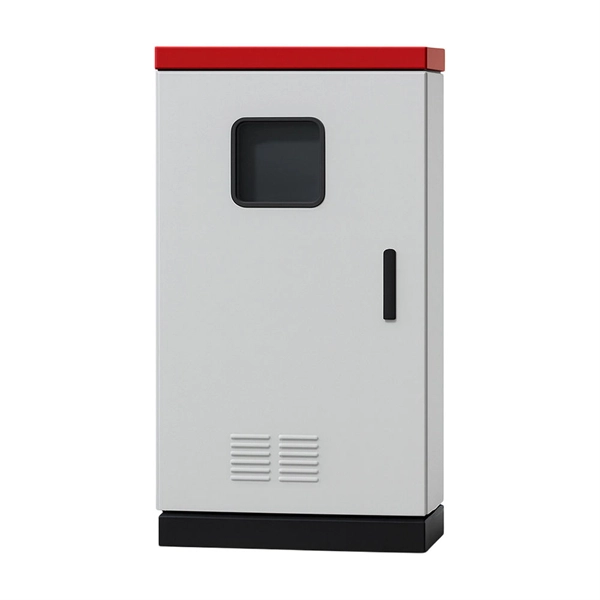
Data center rack enclosures must be 48U to maximize horizontal space. The preferred width is 24 inches with vendor neutral mounting rails that are fully adjustable and compatible with all EIA-310 Electrical Industry Alliance Standards compliant with 19” wide equipment. • Extended battery module increases runtime by hours. • PowerPass Distribution Module allows a step-down voltage to 120V to accommodate a variety of IT equipment. The PPDM also provides a maintenance bypass, which allows you to service or replace the entire UPS without powering down IT equipment. •. Proper installation of components in a data center server rack is crucial for optimal performance, efficient maintenance, and long-term reliability of your IT infrastructure. This guide provides detailed instructions and best practices for setting up various components in your data center racks. The purpose of the Data Center and Server Room Standards is to describe the minimum requirements for designing, installing, securing, monitoring, maintaining, protecting, and decommissioning a data center or server room at the University of Kansas. Choosing the right server rack involves understanding dimensions, weight capacity, cooling needs, and the type of rack, whether open or closed frame. Regular. There are three primary rack types - open-frame racks, enclosed cabinets, and wall-mount racks, each suited for different levels of security, cooling, and equipment density.
[PDF]
Picking up the best router for fiber internet isn't just about going to the market and choosing one of the best wireless routers. Instead, you need to carefully look at its specs, performance, and the type of securit.
[PDF]

Install clip or retainer nuts in the rack rail locations shown in the following figure. These nuts will secure the 10-32 screws that mount the rack kit's shelf and the device to the rack. For rails with round holes, use clip nuts. Whether you're setting up a home network, small business, or AV closet, this guide walks you through the full installation process — mounting, equipment placement, cable management, and power setup. •. Determine how the device can be oriented in the rack so that the nonport side has access to intake air (cool). Threaded Rack Rail Clip nuts are a long-needed alternative to the traditional and time-consuming cage nuts. I've seen and used both methods, but am still not sure which is best. Is there a recommended way of inserting them? If so, why is it the best way? From my own experience, the horizontal way (on the left) seems. Learn why IT Pros trust StarTech. com for performance connectivity accessories. In this guide, we'll see the tools you'll need, the best and proven practices for server rack setup and network rack setup, and the detailed steps you'll need to follow to achieve an efficient and future-proof infrastructure. A standard rack server is usually used to house and organize different.
[PDF]

The mounting height of a network rack typically ranges from 24 inches to 84 inches (2 to 7 feet), depending on the equipment and installation requirements. A server rack is more than just a physical frame—it determines how well your rack servers, network switches, PDUs, and storage arrays can be organized, cooled, and maintained. Selecting the right rack size ensures not only compatibility with today's hardware but also room for future expansion. The. Common server rack sizes are 19‑inch width, heights like 42U or 48U, and depths from ~24″ to 48″. Choose size based on equipment type, cooling, space, and future growth. Most IT environments default to 42U, 19-inch width, and 1000–1200 mm depth unless space constraints or special equipment dictate. A rack unit, abbreviated as “U,” is the standard unit of measurement for the height of devices designed for rack mounting. One rack unit equals 1. Important: U describes height only, but a server's real "capabilities" are also determined by chassis depth, internal layout, airflow, rails, power, and expansion (PCIe/risers, NVMe. You'll get precise, vendor-agnostic dimensions for standard server rack sizes—including exact width (19″ internal / 24″ external), height (42U = 73. 5″), depth (24″–48″), and the universal 1U = 1. 75″ rule—plus how to verify usable space, avoid common fitment errors, and select based on equipment.
[PDF]
✅ 1U steel aluminum rack drawer. ✅ Pre-drilled for easy rack ing on standard 19” rack. 81”) deep steel chassis with aluminum front. ✅ Cooling side vents. 19 inch Horizontal Rack Mountable 1U PDU Available. 6-way and 8-Way Universal Socket 19″ Rack Mount PDU Power Distribution Units Available in Different Brands Like TOTEN, NEC, Matrix e. Also Available in Non-Branded (Chinese) Variants. 37"H. Shop your favourite Server Racks & Cabinets with us because we offer a price matching guarantee. If you find better pricing, share the screenshot or URL. We will match the price and even give you an additional discount. We guarantee 100% after-sale service, and all of our products come with a full. We have Wall mount and a free-standing Data cabinet from 4U - 42U. Market Forecast By Form Factor (1U, 2U, 4U), By Data Center Type (Mid-Sized, Enterprise, Large Data Centers), By Tier Type (Tier 1, Tier 2, Tier 3, Tier 4), By Services (Design and Consulting, Installation and Deployment, Support and Maintenance), By Industry (Banking, Financial Services and. A 1U rack mount server cabinet is a cabinet in which one or more servers can be placed in a rack. There are different types of 1U server cabinets, which include; Small Compact 1U Server Cabinets: These cabinets are ideal for.
[PDF]
We've talked about why cable management is important. But how do you get started? The first step is to have a plan. Before you even begin, look at where the cables enter and leave your equipment. For exa.
[PDF]

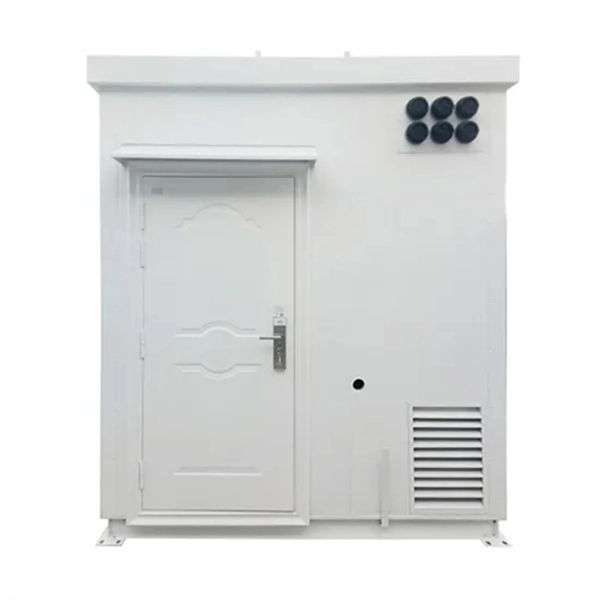
There are several types of outdoor server racks, each tailored to specific environmental and operational needs. The two primary categories based on structural design are seismic and non-seismic racks. Free Standing 19' 32U 600x600mm. Ecoline Server Cabinet Flat Pack RAL 9005 black W/ 4 fans L Type Support Slide Rail, Enclosure Depth=600mm. For outdoor server and network applications, the weatherproof rack cabinet is designed to protect equipment from water, environmental elements, and debris. With front and rear doors, allows easy access for installation and maintenance while the o-ring around each door creates a water resistant seal. We Provide outdoor cabinet range provides single or multi-chamber, temperature controlled secure environment for valuable sensitive communications, electronic & electrical equipment, in a cost effective and space saving manner. Designed to house a variety of communications equipment and incorporated design flexibility to. Check each product page for other buying options. At Sturdx, we provide outdoor cabinets that merge resilience, functionality, and reliability. This guide delves into the features, benefits.
[PDF]
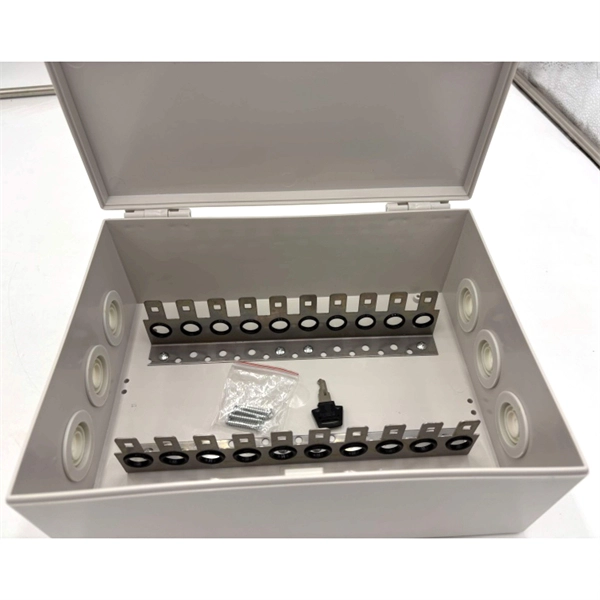
View inventory, pricing and order now for same day shipping!. View inventory, pricing and order now for same day shipping!. Check each product page for other buying options. This product has sustainability features recognized by trusted certifications. Learn more Need help? Find weatherproof electrical enclosures with stainless steel latches and hinged covers. Ideal. Polycase's IP67 rated enclosures and boxes provide protection for your electronics in indoor and outdoor applications. With a variety of sizes available in aluminum or. Box products are used to contain or enclose materials or equipment in a variety of contexts; plastic or metallic boxes suitable for constructing enclosures for electronic equipment such as guitar pedals, equipment cases for transporting tools or equipment, console style enclosures convenient for. An IP67-rated 19-inch metal enclosure rack is a high-performance housing solution designed to protect sensitive electronic and industrial equipment from dust, water immersion (up to 1 meter for 30 minutes), and harsh environmental conditions. They are perfect for use in a variety of applications, including industrial and commercial settings. Made from high-quality materials, these water-resistant enclosures offer a. Discover IP67 storage solutions with waterproof boxes and containers. Durable plastic, stackable design, and latching features for secure storage. Perfect for outdoor and rugged environments.
[PDF]

One rack unit equals 1. 45 mm), defined by the EIA-310. Measure your deepest server and add 3–6 inches for cabling and airflow. While rack height is standardized in rack units (U), external dimensions vary by manufacturer. A rack space calculator is a specialized tool designed to help data center professionals, IT administrators, and network engineers determine the optimal placement and space requirements for equipment in server racks. This calculator helps you plan rack layouts by calculating the total rack units. Server rack height is measured in rack units (U). Use the. When planning LAN infrastructure, selecting the correct data rack size is essential for proper equipment fit, ventilation, cable management, and future expansion. A practical formula often used for estimating the required rack size is: Rack size = 1. Common sizes: 42U, 48U, and compact options like 22U–27U. Standard width is 19 inches (EIA-310 compliant), while outer widths vary (e. Rack depth matters for. The three primary dimensions to consider are rack height (measured in rack units or U), rack width (most commonly the industry-standard 19-inch format), and rack depth (typically ranging from 24 inches to 48 inches). Each of these factors influences equipment fit, airflow management, cable routing.
[PDF]

A rack diagram, also known as a rack elevation, is a visual representation of the organization of IT equipment within a server rack used to track and manage data center assets. You can easily edit this template using Creately's network diagram maker. It is drawn to scale and may show the front and the rear elevation of the rack layout. Rack diagrams can be extremely valuable when selecting equipment or racks to buy, since they are. Need a free Rack Diagram software? Visual Paradigm Online (VP Online) Free Edition, a FREE online diagram software that supports rack diagram, UML, org chart, family tree, ERD, floor plan, etc. With the intuitive Rack Diagram editor you can draw Rack Diagram in seconds. When purchasing equipment, rack diagrams can help you determine which equipment and racks to buy. With Microsoft Visio, you can quickly build a rack diagram from equipment shapes that conform to. Rack Elevation or Server Rack Layout Software are simple tools to plan and document the cabling of your server cabinet. To make it even easier for you, we launched the free online Rack Planner. It provides a clear overview of the physical layout of the rack, including the placement and positioning of servers, switches, storage devices, and other. draw. Both electronics cabinets can be visualised, as well as IT racks with servers and networking hardware, including those provided by specific vendors like APC, Cisco, Dell, F5, HP, IBM and Oracle.
[PDF]
Start by separating your Ethernet cable into two separate cables and connecting them to the back of the Ethernet cable splitter. Once the cables are securely connected, connect the other ends to your desired devices. Ensure that the cables are tightly secure and that all connections. When you need to connect multiple wired devices like computers, printers, and IP phones, but only have one Ethernet wall port, using an Ethernet splitter or network switch can expand your connectivity without rewiring. This guide explains your options and helps you choose the best solution for your. An Ethernet splitter is a small device that allows two Ethernet-connected devices to share a single cable run. It does not increase speed or create extra bandwidth. It simply divides signal pairs. This tool works best in basic setups where running another cable is not possible. An Ethernet splitter. Ethernet cable splitter wiring diagrams are essential for anyone who needs to connect multiple devices in a home or office network. With the ever-increasing popularity of high-speed internet and streaming services, providing reliable connections to multiple devices is becoming increasingly. An Ethernet splitter doesn't actually split a single Ethernet connection to provide separate internet access to two devices. Instead, it utilizes only two of the four pairs of wires within a single Ethernet cable to connect two devices, requiring two splitters for the setup to function correctly.
[PDF]
This video shows real on-site footage of electrical installation, demonstrating safe and standardized wiring methods used by professionals. more Learn how to wire a distribution box step by step!. A distribution box is the heart of any electrical system. It takes the incoming power and safely distributes it to different circuits throughout your building. Whether in a home or an industrial facility, this box keeps your electrical setup organized, functional, and efficient. However, the key to. In modern electrical systems, cable distribution boxes (also known as electrical distribution boxes or distribution boxes) play a crucial role as the key hub for managing, distributing, and protecting circuits. It serves as a central hub for distributing electricity throughout a building, ensuring that power is delivered safely and efficiently to all the required locations. Box installation: Make sure that Distribution box has been correctly installed and fixed. Material preparation: Prepare the required circuit breakers, wires, wiring ties and other materials, and ensure that they meet the design drawings and installation requirements. Location determination:.
[PDF]

Optical couplers can split or join signals in fibers. You can connect many users to one port with 1:n or 2:n splitters. These devices work both ways, which helps strong network communication. They help send. This small device connects or joins optical fibers together. It helps networks grow and change when needed. Learn about the two main types of fiber optic couplers: fused and planar. Fused. How to Choose the Right Fiber Coupler (FTTH, Data Center & More) Are you in the process of designing a Fiber to the Home (FTTH) network, but wondering how to split one fiber for multiple users? Or maybe you are operating a data center, and you would like to use a single signal to provide to. Fiber optic couplers are optical devices that connect three or more fiber ends, dividing one input between two or more outputs, or combining two or more inputs into one output. The device allows the transmission of light waves through multiple paths. Fiber optic couplers can either be passive or. A fiber optic coupler is a passive optical component that splits, combines, taps, or redistributes light between optical fibers. In real-world networks, couplers let one signal reach many users, allow several signals to share one fiber path, or sample a small amount of light for monitoring. 5/125 µm fiber, with low insertion loss and a broad operating wavelength range from 800 to 1600 nm. The 1x2 and 2x2.
[PDF]