
In this video we will learn how to configure cisco core switch active active using HSRP step by step. In this LAB we practice on creating vlan, distribute vlan to other switch in our network, creating interface vlan and assign IP address for layer 3 routing. Follow these simple best practices to set up a new network switch. Just like riding a bicycle, nobody's born knowing how to setup a network switch. And this process is a little more advanced than, say, setting up your home Internet or even a plug-and-play type switch. But, with the right guidance. Looking to configure a Cisco switch for the first time? If the answer is YES, you're in the right place. You're going to configure: SSH access with local AAA authentication. Here's a network diagram, so you can follow. When you deploy a new switch, it's important to configure it properly to ensure optimal performance, security, and functionality. It comes with an IOS. An IOS is a Cisco proprietary operating system. It allows you to configure, customize, and use Cisco devices as needed. It includes thousands of commands for various tasks. This tutorial explains essential. Although a Cisco switch is a much simpler network device compared with other devices (such as routers and firewalls for example), many people have difficulties to configure a Cisco Catalyst Switch. Configuring a Cisco switch is a fundamental task for network administrators, as it lays the groundwork for.
[PDF]

The short answer is no - RJ45 connectors are designed for electrical Ethernet signals, while fiber optics transmit light pulses through glass or plastic. However, modern networks often combine both technologies. Traditionally, network switches have been connected using copper cables, but with the increasing demand for high-speed and reliable connectivity, fiber optic cables have gained prominence. If you plan to upgrade to fiber optic network or blend fiber optics into your existing legacy network, you will require a fiber optic. Fiber optic cables are often seen as the gold standard for network cabling. Unlike copper wires, which are limited by lower data transmission speeds, shorter transmission distances, and higher susceptibility to electromagnetic interference, fiber optic cables offer unparalleled performance and can. Briefly, an ONT is a modem that uses optical fiber cables that bridge the internet connection from an ISP (internet service provider) to the end user of fiber internet, while Ethernet cables are used to connect the ONT device to your router that provides internet in your home and offices. Other than entry level network switches, most of today's network switches include one or more GiBC (Gigabit Converter) or SFP (Small Form-factor Pluggable) slots. SFP modules insert into these slots and and require two strands of fiber, typically duplex Using multi mode fiber (for runs under 1000.
[PDF]

Set your fiber optic-to-Ethernet converter box in a location near your Ethernet switch and plug in its power adapter. Insert the end of your fiber optic network line into the fiber optic connector on the converter box. Fiber optic cabling is increasingly used to connect network switches and other datacom equipment, especially in long-distance and mission-critical applications. Fiber provides: Increased internet signal bandwidth. Most modern fiber-enabled network switches require an SFP transceiver module. This is a cost-effective and high performance way to connect network switches. Advantages Determine the length of the fiber run and choose either multi mode for runs under 1000 feet or single mode for runs over 1000 feet. SFP transceiver modules are specific to the type of fiber being connected. Connecting a switch to a fiber optic network involves several steps and requires specific equipment to ensure a successful and efficient connection. This guide will. In this article, we'll explain how to connect multiple Ethernet switches using fiber optic cables and the equipment required for this to work. Network topology refers to the way in which the links and nodes of a network are arranged in relation to each other. Ethernet ports are designed for copper cables (like Cat5e or Cat6), which transmit data using electrical signals. You need a media converter or a.
[PDF]
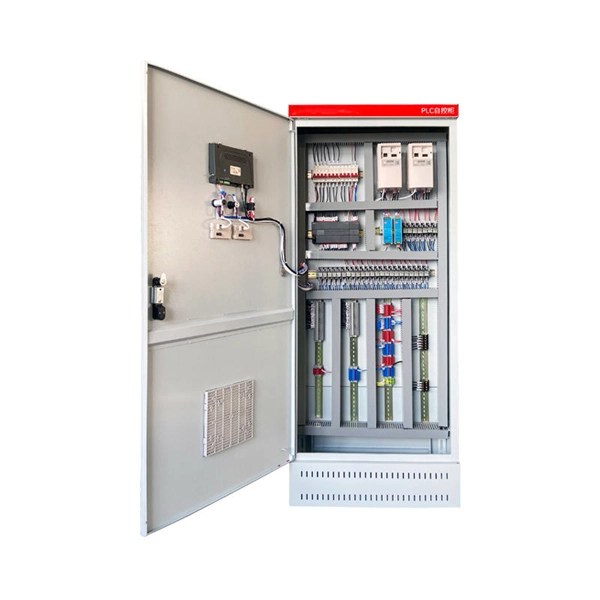
This article will guide you through the process of using a network switch with two routers, providing a clear understanding of the setup, configuration, and testing phases. Yes, you can connect two routers to one fiber modem, but understanding the 'how' and 'why' is crucial for optimal network performance. This guide clarifies the possibilities, practical methods, and potential pitfalls, ensuring you maximize your home or small office network. Can I Connect Two. It is indeed feasible to link two routers to one fiber modem and this arrangement can be advantageous, especially in cases of a multi-storeyed residence requiring more WiFi coverage or additional wired connectivity options. But then again, certain guidelines should be followed to run such a. Assume you have house with direct access to an optic fibre cable (FTTP). In the basement, there is the ONT+residental gateway device that converts the light impulses to Ethernet. At the moment, a router is directly connected to this device. This setup has to be changed because the house will be. To help you out, here are a few methods that you can follow for connecting two routers with one modem. Before you begin configuration, it is. I'm planning to use a TP-Link MC220L transceiver to convert the optical signal to ethernet. This ethernet will then go through a 1 Gbit/s switch, and rout two ethernet cables to each floor. On each floor each ethernet cable will be connected to a router, which will then distribute the internet.
[PDF]

Explore the best access control manufacturers of 2026. With evolving compliance requirements and a market projected to reach $15. 80 billion by 2030, the stakes — and the options — have never been higher. In this guide, we'll cover the top 11 access control companies that deliver the right balance of security, scalability, and compliance for commercial. As your dedicated collaborator, our consultive services on perimeter, door, security integration, access control, and much more, are tailored just for you. Learn more Discover convenient access to the products you need, when you need them with our 34 nationwide locations. Locate your local CPSG. In today's rapidly evolving security industry, web-based and mobile solutions are increasingly recommended by many access control manufacturers. For businesses upgrading their systems with a new access control company, it's important to thoroughly vet manufacturers and their products beforehand. Rittal GmbH & Co. What Is an Access Control System? What Is an Access Control. Retail & Commercial Reduce theft risk, manage turnover and keep track of access in retail and commercial spaces. Integrations Whether you're retrofitting old hardware, making a few upgrades, or building a new facility, BEST has the right product for you. What's the Difference Between a Data Center Server and a Data Center Switch? What is the Difference Between PoE and PoE+? A Guide for Efficient Networking Solutions What Is.
[PDF]

With it, you can easily switch between different devices without having to plug and unplug cables every time. Control multiple computers with one keyboard, mouse, and monitor using our recommended KVM switches, with setup guides, troubleshooting tips, and security considerations for work and home office environments. Last Updated: October 1, 2025 KVM switches let you control multiple computers with one. 11-in-1 Docking Station: Effortlessly switch between two computers with HDMI, USB, Ethernet, and more, creating a versatile and efficient workspace. LAN for Laptop: Ensure stable and fast wired network for both laptops, no matter which laptop you switch to. 100W Power Delivery: When connected to a. 【Dual Computer Control with One Setup】Control 2 computers using one set of monitors, keyboard, and mouse. Ideal for multitasking professionals, programmers, and hybrid work setups. DisplayPort, which is typically used to replace DVI and VGA as internal connections, is supported by the switch. This technology is particularly useful for individuals who work with multiple systems simultaneously, such as. A KVM switch can revolutionize your PC setup. Here's what you need to know If you ever wished you could use one keyboard and mouse with multiple devices, here's your answer. I don't know about you, but working on multiple devices at once makes me feel like some kind of 90s hacker. I'm programming.
[PDF]

No, TP-Link does not directly provide fiber optic internet service to homes or businesses. The TL-SG1428PE is fully compatible with PoE devices, such as IP cameras, access points, and IP phones. Compliance with the 802. 3af/at PoE+ standard supports up to 30 W on each PoE port. Instead, TP-Link offers a wide range of networking equipment designed to work seamlessly with fiber optic internet connections that you get from your Internet Service Provider ISP. Think of them as the. Both of the TP-Link switches have SFP ports which can be used to connect to other SFP devices such as other network switches. The nice thing about using these ports is that you do not have to use up any of your Ethernet connections. Default port rate: 10G/2. To connect. My main requirements for a new home lab switch were passively cooled and fully managed devices that include features such as a full CLI, jumbo frame support, SNMPv3, sFlow, LLDP, and static routing. I originally began looking at Ubiquiti Unifi 8-port Aggregation (USW-Aggregation) switches for $269.
[PDF]

A virtual switch in Hyper-V is a software-based network switch that allows virtual machines to communicate with each other, with the host computer, and with external networks. When you first install the Hyper-V role on Windows Server, you can optionally create a virtual switch at the same time. To learn more about virtual switches, see Hyper-V Virtual Switch. It acts like a physical network switch but exists entirely in software, managing network traffic for your VMs. Hyper-V. This guide walks you through creating and configuring a virtual switch to connect your VMs to external, internal, or private networks. What is a Virtual Switch in Hyper-V? Be sure to check out our previous blog post for a step-by-step guide on installing the Hyper-V Server role on Windows Server. A network switch (also called switching hub, bridging hub, Ethernet switch, and—by the IEEE — MAC bridge) is networking hardware that connects devices on a computer network by using packet switching to receive and forward data to the destination device. A network switch is a multiport network. An Internal Virtual Switch in Hyper-V lets your virtual machines talk only to each other and your host PC. Open the Virtual Switch Manager and create a new Internal switch. Then assign this switch to the network adapter of each guest system. Depending on the type.
[PDF]

If you are evaluating Cisco access switches for enterprise networks, start with five things: port density, PoE demand, uplink capacity, multigig requirements, growth planning, and fault isolation. A Cisco switch is different from a regular plug-and-play switch. It comes with an IOS. An IOS is a Cisco proprietary operating system. It allows you to configure, customize, and use Cisco devices as needed. It includes thousands of commands for various tasks. This tutorial explains essential. In Cisco Application Centric Infrastructure (ACI), interface configurations are performed by associating an interface policy group, which is a group of interface policies such as interface speed or link layer discovery protocol (LLDP), to an interface on a switch node. Cisco ACI uses four objects. We recommend using any of the EX Series switches shown below for use with Juniper access points driven by Mist AI. They meet both the PoE and speed requirements needed for AP deployments, and they support Juniper's Virtual Chassis. All the features you need to set up interoperability between APs. The only warranties for Hewlett Packard Enterprise products and services are set forth in the express warranty statements accompanying such products and services. Nothing herein should be construed as constituting an additional warranty. The right Cisco access switch is the one that fits the wiring closet role and device mix over the next.
[PDF]

The focus of the LPO MSA is to specify module and network equipment level interoperability requirements that span both electrical and optical technologies. Starting at 100 Gb/s per lane, the LPO MSA will ensure multi-source solutions necessary for a broad ecosystem. is a trusted global partner to the international business community, providing high-quality services that help businesses thrive worldwide. Our mission is to be a one-stop shop for all accounting and legal corporate service needs, wherever a business may be located. We blend in, so. LPO LATAM S. (JavaScript must. An LPO (Linear Pluggable Optics) solution offers considerable power savings for optical interconnect by removing the digital signal processing (DSP) function from the pluggable optical module. This architecture takes advantage of the capabilities in each segment of the link to form a power, cost. California Rep. Kevin Kiley announced on Monday he is switching his congressional party designation from Republican to independent, formalizing his party switch as he pursues a longshot bid to win reelection in a Democratic-leaning district. Kiley, whose district was redrawn in Democrats' favor. The Venezuela Humanitarian Fund has always put Venezuelan organizations at the centre of its funding and outreach strategy. In 2024, 75% of its funding was allocated to national organizations, with 15 out of 21 projects funded this year led by Venezuelan organizations. Venezuela faces major.
[PDF]
A fiber media converter takes an Ethernet signal on copper (RJ-45) and converts it to an optical signal on fiber, or vice versa. There are also fiber-to-fiber versions that translate between different fiber types, wavelengths, or distances. Full range of Fiber Optic Modems to convert Serial Data, T1, E1, T3, E3 and Phones for fiber communication. Featuring high and low speeds and field-changeable interfaces. Applications include satellite downlinks, DSUs, various Crypto devices, Channel Banks, SCADA and Process Control Networks. In this article, we'll explore the seamless transition from T1 and E1 lines to fiber optics, enabling you to enjoy lightning-fast connectivity. E1 and T1 leased lines are digital technologies that connect two locations with a private, dedicated connection. They offer dependable and secure data. A fiber optic network is a way to transmit data and realize communications via fiber optic cabling instead of Ethernet cabling. A fiber optic network, in other words, utilizes another media to conduct data transmission between the main and edge network devices. Copper Ethernet Cabling VS. These devices are essential when you need to bridge fiber optic cables with Ethernet cables, especially in long-distance or high-speed network setups. There are no specific requirements for this document. The information in this document is based on all Catalyst 9000 Series switches. This includes Doppler.
[PDF]

OLX Pakistan offers online local classified ads for Cisco Poe Switch. Post your classified ad for free in various categories like mobiles, tablets, cars, bikes, laptops, electronics, birds, houses, furniture, clothes, dresses for sale in Pakistan. Find the best Cisco Poe Switch in Pakistan. The Cisco DAC-QSFP28-4SFP28-25G breakout cable is a high-performance interconnect solution designed to bridge the gap between 100G core switch ports and 25G server or access switch ports. At SKYRS Pakistan, we provide these high-density cables to optimize data center footprints and significantly. Power Consumption 0. 125W Tested in Targeted Switches for Superior Performance Minimum Bend Radius 60mm for Flexible Routing Supports 100G to 4x 25G Ethernet Interoperability Simplifies Patching and Offers Cost-effective Short Links FS BOX – Support Real-time Configuration Hot Pluggable Cable. In the world of modern networking, Power over Ethernet (PoE) has become an indispensable technology, revolutionizing the way we power and connect devices. PoE network switches play a crucial role in this revolution, offering a streamlined and efficie. POE Network Switch There are 49 products. Pakistan - Shop for Best Online at Daraz. pk Wide Variety of poe switch ip. Great Prices, Even Better Service.
[PDF]

Solution: To solve this problem, you can follow these steps: Check if the fiber and optical modules are compatible. A switch must use optical or copper modules that have been certified for use on Huawei switches. Huawei is not liable for any problem caused by the use of non-certified optical or copper. This article summarizes several solutions for using optical modules with switches and common problems encountered during usage, along with specific solutions. Huawei S5720-32P-EI-AC Switch II. During use, reading optical module information helps understand its real-time operating status, enabling faster troubleshooting of link abnormalities. The following uses the. ers, only the short transmission distance is supported. Whether optical attenuators need to be deployed at the receive end o. A leaf-spine refresh can fail in subtle ways: a port locks in an unexpected speed, optics negotiate but traffic stays dark, or DOM readings mismatch. This case study helps network engineers and field technicians validate a Huawei CloudEngine transceiver against switch requirements before rollout.
[PDF]